What Purchase Request and Purchase Order Automation Means for Government Agencies
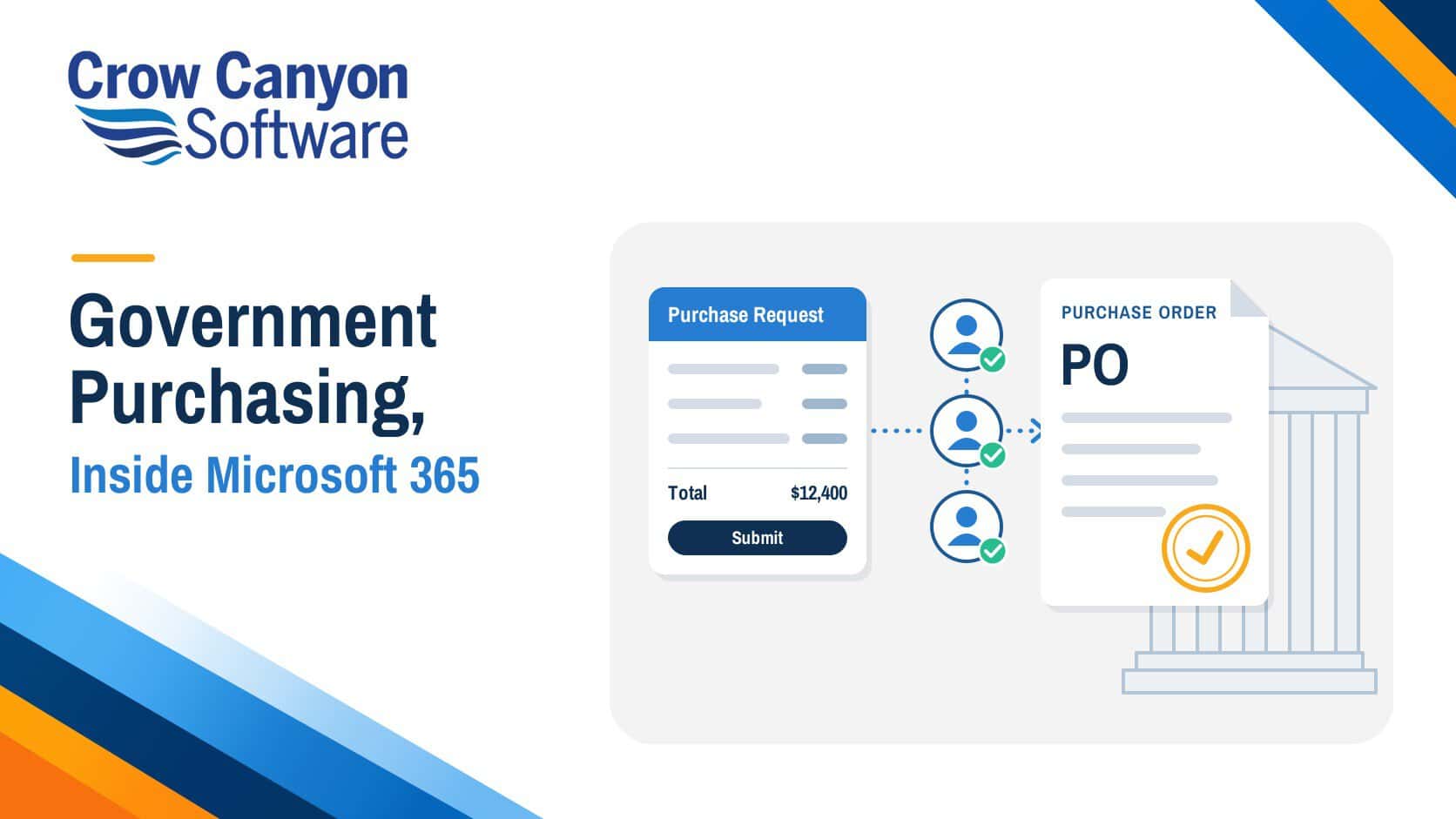
Government procurement is how public agencies buy goods and services with public funds. Purchase request and PO automation handles the internal part of that process.
- Purchase request: an internal request for approval to buy, submitted before any money is committed. Some agencies call it a requisition.
- Purchase order (PO): the formal order sent to a vendor after the request is approved.
- Automation: software that routes each request, records every decision and creates the PO from the approved request.
For a side-by-side look at the two documents, see purchase request vs. purchase order. For the fields a request should include, see the complete guide to a government purchase request form.
Before looking at the rules, it helps to see where this kind of tool sits among other government software.
Where Purchase Request and PO Tools Fit Among Government Procurement Software
Government procurement software covers several kinds of tools, and each does a different job.
| Tool type | Typical main job | Main users | Where it fits in a purchase |
|---|---|---|---|
| eProcurement and sourcing systems | Post solicitations, collect bids, register vendors, award contracts | Procurement officers and vendors | Larger purchases that go out for bids or proposals |
| Financial or enterprise resource planning (ERP) systems | Track budgets, process invoices, make payments | Finance and accounting staff | Budgets before the purchase, invoices and payment after it |
| Purchase request and PO workflow tools | Take in requests, route approvals, create POs, track receiving | Requesters, approvers and purchasing staff | From the first request to the PO and delivery |
Modernization is a priority for public buyers. The National Association of State Procurement Officials (NASPO) lists “Modernizing the Procurement Process” first and “eProcurement/ERP” second in its 2026 Top 10 Priorities for State Procurement.
With the tool types sorted out, the next question is which organizations need this kind of tool.
Who uses purchase request and PO automation?
- Federal agencies buying under the Federal Acquisition Regulation (FAR)
- State agencies routing requests across departments and regional offices
- Counties, cities and towns handling purchases across many departments
- Special districts, such as school, water and transit districts, managing purchases for a single public service
- Public housing authorities buying for maintenance and operations
- Tribal governments buying with their own funds and federal awards
- Public bodies spending federal grant funds, which add federal purchasing rules on top of their own
Whatever the type of organization, the rules come first, and your workflow has to support them.
Which purchasing rules must your approval workflow support?
Which rules apply depends on who you are and whose money you spend.
- Federal agencies follow the FAR.
- Other federal award recipients, such as local governments, nonprofits and subrecipients of states, follow the procurement standards in Title 2 of the Code of Federal Regulations (CFR), sections 200.318 through 200.327.
- States and Indian Tribes use their own procurement policies for federal awards, plus a few specific federal requirements.
- State and local purchases made with their own funds follow state and local law.
| Rule | Applies to | What your workflow should handle |
|---|---|---|
| Micro-purchase threshold of $15,000 and simplified acquisition threshold of $350,000, both raised on October 1, 2025 (Federal Register) | Federal agencies | The total request amount, so routing can separate micro-purchases, simplified purchases and larger buys |
| Documented procurement procedures (2 CFR 200.318(a)) | Other federal award recipients | Written approval rules, applied the same way every time |
| A history of each purchase: the reason for the method and contract type, contractor selection or rejection, and the basis for the price (2 CFR 200.318(i)) | Other federal award recipients | Justifications and supporting files attached to each request |
| Purchase methods by dollar amount: micro-purchases, quotes from an adequate number of qualified sources, then sealed bids or proposals above the simplified acquisition threshold (2 CFR 200.320) | Other federal award recipients | The request amount and the quotes collected |
| State and local procurement codes | State and local purchases made with their own funds | Your own thresholds, approvers and bid rules |
Once you know which rules apply, you can turn them into questions for any system you evaluate.
What should you check before choosing a purchase request system?
- Approval rules: Can approvals follow your dollar thresholds, departments and purchase types, with as many levels as you need?
- Locked requests: Do line items and totals lock once a request is submitted?
- PO controls: Can a PO only be created from an approved request?
- Approver access: Can approvers act from email or Microsoft Teams, while only the assigned approver can record a decision?
- Records and reporting: Does each request keep its approvals, decisions and linked PO, with dashboards and reports on top?
- Receiving: Can staff record partial and full deliveries against the PO?
- Permissions: Can you limit access by department or user group?
- Hosting: Can it run in your environment, whether that’s Microsoft 365 commercial, GCC, GCC High or SharePoint On-Premises, including air-gapped networks?
- Pricing: Does the cost go up with every new user?
- Changes: Can your team adjust forms and workflows with no-code/low-code tools?
Here is how NITRO Purchase Requests from Crow Canyon Software answers each question.
How does NITRO handle purchase requests and orders?
NITRO Purchase Requests is a purchase request and PO application for Microsoft 365, Teams, and SharePoint. Crow Canyon Software is a Microsoft Preferred Partner founded in 1999, and 1,000+ organizations use its products.
| Question | How NITRO Purchase Requests handles it |
|---|---|
| 1. Approval rules | Administrators set approval levels by type of purchase, department and amount. Levels can run in sequence or in parallel, and you can add as many as you need. Reminders and escalations keep requests moving. Requests that match no level, such as purchases below your lowest threshold, are marked “Approval Not Required.” |
| 2. Locked requests | Once a request is submitted, its line items become read-only, so totals can’t change during or after approval. |
| 3. PO controls | POs can’t be created directly. A PO is created from, or linked to, a request marked “Approved” or “Approval Not Required.” |
| 4. Approver access | Approvers can approve, deny or send back a request from the approval task or straight from the email notification. They can also act in Microsoft Teams. Only the assigned approver can record a decision. |
| 5. Records and reporting | Each request keeps its approval tasks and linked PO. Denied requests can’t be resubmitted. Dashboards, search and reports track requests and POs by status. |
| 6. Receiving | Staff update the received quantity on each line item. Partial deliveries are tracked, and the PO is marked “Fulfilled” once everything arrives. |
| 7. Permissions | Item-level permissions can be set by department. Parts of a form can be hidden or made read-only based on the data and the user’s group. |
| 8. Hosting | Deployment supports SharePoint On-Premises, including connected and air-gapped environments, and SharePoint Online in commercial, GCC and GCC High environments. For SharePoint Online, the NITRO engine is Azure-hosted (customer-hosted for GCC and GCC High). |
| 9. Pricing | Flat annual pricing with unlimited users and no per-user fees. |
| 10. Changes | Forms, approval levels, notifications and workflows are set up with no-code/low-code tools. |
Crow Canyon’s security and compliance frameworks include System and Organization Controls (SOC) 2 Type 2, ISO 27001:2022 and Cybersecurity Maturity Model Certification (CMMC) 2.0 Level 1. Details are in the Crow Canyon Trust Vault.
Case Study: How a U.S. Government Agency Took Purchase Approvals Off Paper
- Challenge: Purchasing, travel reimbursement and outside service requests ran on paper forms that had to be signed, copied, routed for approval and filed for years. Documents went missing between approvers, and errors sent requests back to the person who started them.
- Solution: Crow Canyon replaced the paper forms with online SharePoint forms and workflows mapped to the agency’s approval process.
- Purchasing: After initial approval, each purchase request goes to Finance, which records a status for every line item (Awaiting Approval, To be Ordered, Ordered or Reconciled) to match orders, receipts and card statements.
- Approvals: Approvers are notified automatically and can approve or deny straight from email.
- Result: Everyone involved can see where each request stands and how it is moving.
Conclusion: Put Your Purchasing Rules Into Every Request
The right purchase request system applies your rules the same way on every request, from the first submission to the final delivery. If your agency runs Microsoft 365 or SharePoint, see how NITRO Purchase Requests fits your approval levels, thresholds and environment.