
InfoPath Replacement
Microsoft InfoPath Replacement
Replace every InfoPath form and workflow with NITRO Studio now. No-code/Low-code. Flat pricing. Dedicated migration team.
INFOPATH IS RETIRED
After May 18, 2026, Microsoft stopped allowing new or updated InfoPath forms to be published. Full retirement of InfoPath Forms Services followed on July 14, 2026, across every Microsoft 365 environment (commercial, GCC, and GCC High). SharePoint Server 2016 and 2019 also reached the end of extended support on the same day, leaving on-premises InfoPath deployments unsupported as well.
Trusted by 1,000+ Organizations





















InfoPath Retirement in 2026: What It Means for Your Organization
InfoPath retirement means Microsoft permanently removed InfoPath Forms Services from SharePoint Online on July 14, 2026, with no built-in Microsoft replacement. In SharePoint Online, that was a hard stop: InfoPath forms no longer open, submit, or publish. On-premises works differently. On SharePoint Server 2016, 2019, and Subscription Edition, the forms can still render because the software sits on your own servers, but Microsoft support ends the same day, which leaves them unpatched and out of compliance. Either way, the safe move is to plan your InfoPath migration now, before a form your team depends on either goes dark or becomes an audit finding. Here is what changed on July 14, 2026:
What changed on July 14, 2026:
| Deployment environment | What happens |
| SharePoint Online | InfoPath Forms Services will be removed from SharePoint Online for every Microsoft 365 tenant. Forms no longer open, submit, or publish. |
| SharePoint Server 2016 | Extended support ends. Forms continue to load, but no Microsoft fixes or security patches. |
| SharePoint Server 2019 | Extended support ends. Forms continue to load, but no Microsoft fixes or security patches. |
| SharePoint Server Subscription Edition | Extended support for InfoPath Forms Services ends. Forms continue to load, but no Microsoft fixes or security patches. |
See an InfoPath form move to NITRO Studio in under 5 minutes.
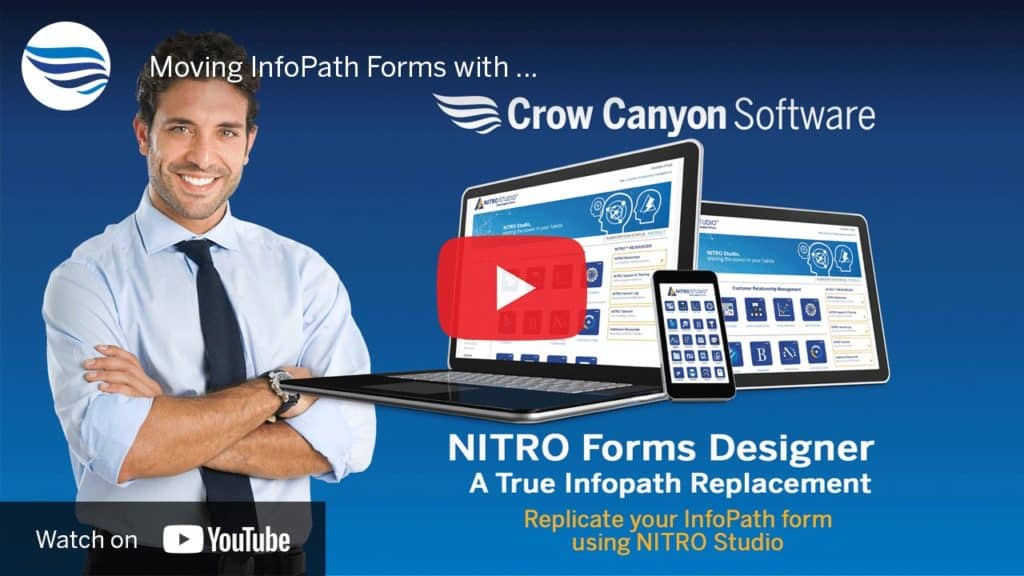
How NITRO Studio Replaces InfoPath Forms and Workflows
NITRO Studio is the InfoPath replacement software built for Microsoft 365 and SharePoint, giving teams a single place to replace InfoPath forms and the workflows behind them. It’s also a no-code/low-code Application Builder Platform that does what InfoPath did, and a great deal more.

NITRO Studio Platform
Forms and Workflows are two of many components. The platform includes List Views, Custom Actions, Branding, Reports, and pre-built apps for Help Desk, Purchase Requests, Asset Management, and more.

NITRO Forms
WYSIWYG drag-and-drop form designer. Tabs, sections, conditional rules, cascading lookups, column-level permissions, custom scripting, and version history. Renders in modern and classic SharePoint.
NITRO Workflows +
Custom Actions
No-code/low-code business process automation. Route, track, escalate, and resolve any request. Trigger actions on field changes. Send notifications via email.
NITRO Studio: One Platform. Any SharePoint Environment.
Your SharePoint InfoPath replacement needs to work where your data lives. Most modern form platforms only run in the public cloud. NITRO Studio runs in all five environments.
On-Premises (2 models), on SharePoint On-Premises (2016, 2019, and Subscription Edition):
- Normal Mode: NITRO Studio is installed in the customer’s on-premises environment and communicates with Crow Canyon’s Azure.
- NITRO Secure (Air-gapped): A disconnected, high-security mode in which the on-premises installation does not communicate with any external entities.
SharePoint Online / Microsoft 365 / Office 365 (4 models): NITRO Studio has two components. The data resides primarily in the customer’s Microsoft 365 tenancy, and the NITRO Studio software runs in Azure. The Azure component can be hosted in one of four ways:
- Shared (Crow Canyon Azure Tenancy): The software runs in Crow Canyon’s Azure tenancy. This is the simple, cost-effective option.
- Dedicated / Customer Hosted / BYOC (Bring Your Own Cloud)
◦ Commercial / Public Azure (Dedicated): Deployed in the customer’s own commercial Azure tenancy.
◦ Microsoft GCC (Dedicated): Deployed in the customer’s GCC environment for higher compliance needs.
◦ Microsoft GCC High (Dedicated): For highly restricted environments, such as government departments, military, and highly regulated industries.
Why it matters: Microsoft’s recommended replacements (Power Apps, Power Automate) are cloud-only. NITRO Studio is the only commercial Application Builder Platform that runs across both infrastructure categories, on-premises (including fully air-gapped through NITRO Secure) and SharePoint Online / Microsoft 365.
Everything You Built in InfoPath Has a Home in NITRO Studio
If you are weighing an InfoPath alternative, here is the side-by-side capability breakdown of InfoPath and NITRO Studio.
| InfoPath | NITRO Studio |
| Drag-and-drop form designer | NITRO Forms Designer (WYSIWYG, browser-based, no client install) |
| Multiple form views (new, edit, display) | Multiple forms per list (separate or shared new/edit/display) |
| Tabs and section layouts | Tabs and sections (drag-to-arrange in Forms Designer) |
| Conditional formatting and rules | Column value change events, UI formatting rules, and Custom Actions |
| Cascading dropdowns | NITRO Lookup column with cascading configuration |
| Data connections (SharePoint and line-of-business systems) | NITRO Lookup, Query List actions, REST API calls via Custom Actions |
| Field validation | Column-level and group-level validations |
| Role-based form views | Group-level and column-level permissions |
| SharePoint workflows attached to forms | NITRO Workflows plus Custom Actions |
| Email notifications and approval routing | NITRO Workflows Send Mail action plus approval steps |
| Custom scripts and code-behind | Custom JavaScript and Advanced Script Actions (including Azure Integration) |
| Browser-based forms (InfoPath Forms Services) | Modern and Classic SharePoint web forms (no plugins required) |
| PDF generation from forms | Generate Document Custom Action (PDF output to library or current item) |
| Form templates and reuse | Export and import form configurations as JSON |
| Version history | Form version history (built-in to the Forms Designer) |

Featured Case Study
Aloha NITRO, Goodbye InfoPath!
Honu Services needed a SharePoint-based forms and workflow solution that was dynamic, responsive, and easy to use, with the ability to reproduce applications across different clients without coding. See how they replaced InfoPath.

“NITRO Forms is far superior to InfoPath, and provides more functionality paired with great responsive technology. The limitations of InfoPath and the lack of support prompted us to switch to NITRO Studio.”
Tim C., O365 Product Manager


