Updated August 2026

Organizations leveraging Microsoft 365 often ask a critical question: Can you use SharePoint as an IT ticketing system?
The short answer is yes. Native SharePoint lists, forms, and Power Automate flows can be configured to track internal support requests. However, as ticketing volume grows, native configurations hit hard technical limits around security, routing complexity, and SLA tracking.
This guide breaks down native SharePoint help desk functionality, step-by-step setup, limitations, and how enterprise-grade solutions like NITRO IT Help Desk Software deliver a ready-to-use alternative inside Microsoft 365.
Does Microsoft 365 Have a Built-In Ticketing System?
Microsoft 365 does not include a standalone, dedicated IT ticketing application out of the box.
Instead, Microsoft provides foundational building blocks (primarily SharePoint Online, Power Automate, Microsoft Forms, and Teams) that organizations assemble to log, route, and track requests.
-
SharePoint Lists: Serve as the underlying database to store ticket details (Issue, Priority, Status, Assignee).
-
Microsoft Forms / Power Apps: Act as the intake interface for end-user submissions.
-
Power Automate: Handles notification emails and status updates.
-
Microsoft Teams: Serves as the notification hub for support agents.
While these tools allow you to log support requests without buying third-party software, they require manual assembly, ongoing maintenance, and lack native IT Service Management (ITSM) logic out of the box so a fully functional Microsoft 365 ticketing system will require some work.
Organizations looking for a more complete SharePoint trouble ticket system or M365 ticketing system should consider capabilities such as automated routing, SLAs, escalations, knowledge management, reporting, and workflow automation.
Native SharePoint vs. Pre-Built Help Desk: Is Native Good Enough?
Whether a native build works for your organization depends heavily on your team size, request volume, and compliance requirements.
| Feature / Capability | Native SharePoint + M365 Build | Enterprise NITRO Help Desk |
| Primary Use Case | Basic internal logging (<50 tickets/mo) | Full ticketing and automation |
| Ticket Intake | Manual SharePoint Lists or Forms | Email-to-Ticket, Teams Bot, Web Portal |
| Workflow Routing | Basic Power Automate conditional logic | Complex multi-tier auto-assignment & SLAs |
| Item-Level Security | Complex manual permission setup | Native role-based access control (RBAC) |
| SLA Tracking | Requires custom code or complex flows | Built-in breach alerts & timers |
| Asset Tracking (ITAM) | Separate unlinked lists | Integrated hardware/software tracking |
| AI Capabilities | None (unless custom Copilot built) | AI ticket auto-categorization & summary |
When It Makes Sense to Build Native in SharePoint
Building a basic ticketing system using native SharePoint features is an effective approach under specific conditions:
-
Low Ticket Volume: Your team handles fewer than 50 requests per month.
-
Simple Workflows: Tickets only require simple status updates (e.g., New $\rightarrow$ In Progress $\rightarrow$ Closed) without escalation paths.
-
No Strict SLAs: There are no legal or compliance requirements around resolution times or breach warnings.
-
Dedicated M365 Admin Availability: You have internal staff available to build, troubleshoot, and maintain custom Power Automate flows when they break.
When ticket volume increases or multiple departments (HR, Facilities, IT) require dedicated intake portals, building natively often leads to high maintenance costs and security gaps.
Step-by-Step: How to Set Up a Basic SharePoint Ticketing System
To build a basic ticket tracker in SharePoint Online, follow these four core setup steps:
Step 1: Create the Master Tickets List
-
In SharePoint Online, create a new Blank List named
IT Support Ticketsto serve as your SharePoint Online ticket tracker. -
Add the following custom columns:
-
Ticket ID(Single line of text or Auto Number) -
Requester(Person or Group) -
Category(Choice: Hardware, Software, Network, Access) -
Priority(Choice: Low, Medium, High, Critical) -
Status(Choice: New, In Progress, Pending User, Closed) -
Assigned To(Person or Group) -
Description(Multiple lines of text)
-
Step 2: Build the Intake Form
Create a user-friendly intake interface using Microsoft Forms or Power Apps:
-
Add fields for Subject, Category, Priority, and Details.
-
Embed the intake link on your company SharePoint intranet home page so employees can submit requests easily.
Step 3: Configure Automated Routing via Power Automate
-
Create an automated cloud flow in Power Automate triggered “When a new response is submitted” in Microsoft Forms.
-
Add an action to “Create item” in your
IT Support TicketsSharePoint list, mapping form inputs to list columns. -
Add a condition: If
Priorityequals Critical, send an urgent Microsoft Teams notification to the IT channel. -
Add an action to send an automated confirmation email to the
Requester.
Step 4: Set Up Agent Views and Dashboards
Inside the SharePoint list, create saved view filters to help IT staff prioritize work:
-
My Open Tickets: Filter where
Assigned Toequals[Me]andStatusis not equal toClosed. -
Unassigned Tickets: Filter where
Assigned Tois blank andStatusequalsNew.
Key Limitations of Native SharePoint Ticketing
While functional for basic tasks, custom native implementations encounter severe bottlenecks as support demands grow:
-
Lack of Email-to-Ticket Conversion: Native SharePoint cannot parse incoming emails, extract attachments, create formatted ticket records, and maintain reply threads automatically without complex third-party tools.
-
Permissions & Item-Level Security: SharePoint permissions apply to entire lists by default. Restricting end-users so they can only view their own tickets requires complex permission inheritance breaks that degrade site performance over time.
-
No Built-In SLA Engines: Tracking response/resolution timers, paused states (e.g., “Waiting on Customer”), and automated escalation pathways in native Power Automate requires fragile nested logic.
-
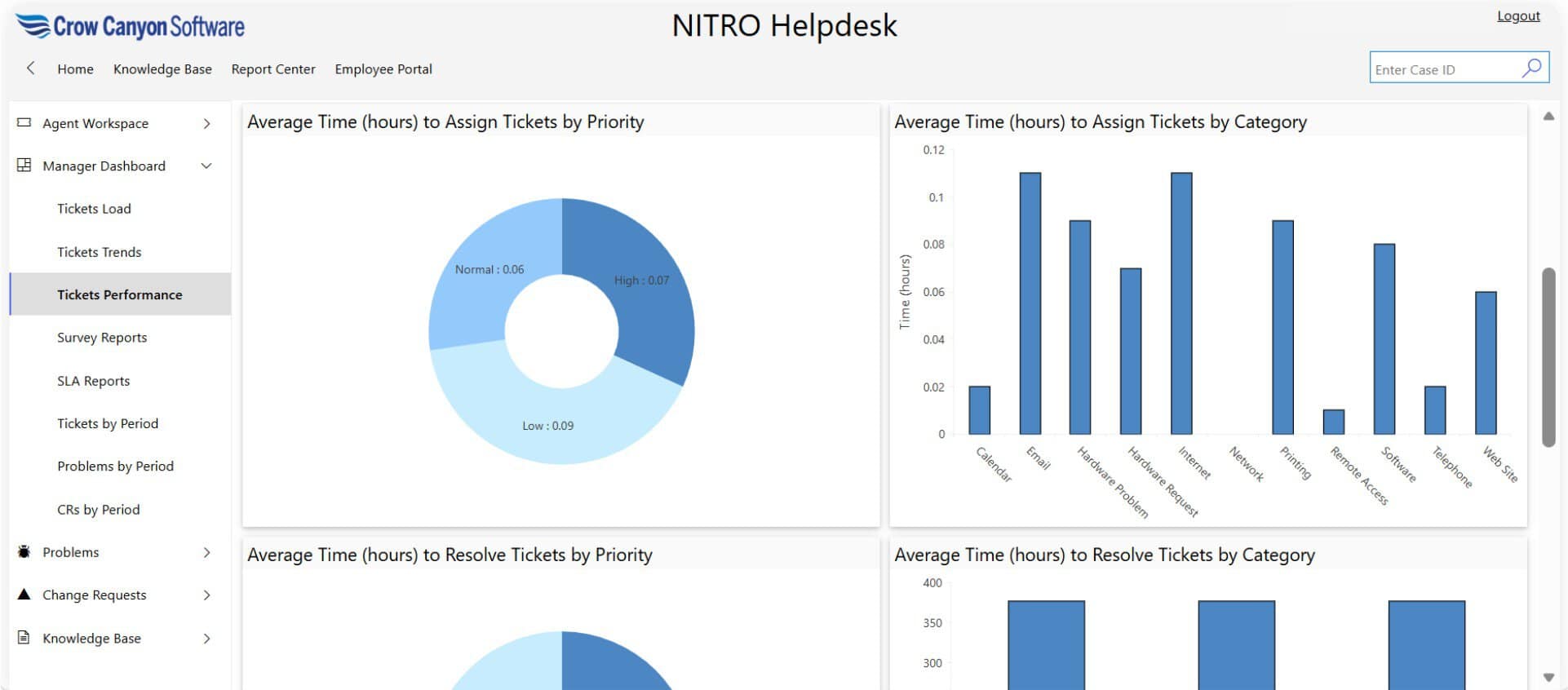
Reporting Limitations: Standard SharePoint list views lack real-time IT metrics like First Contact Resolution (FCR), Mean Time to Resolve (MTTR), and agent performance trends.
Out-of-the-Box Enterprise Alternative: NITRO IT Help Desk
Rather than spending months building, testing, and maintaining custom lists and Power Automate flows, enterprise teams use pre-built solutions running natively on Microsoft 365.
Crow Canyon Software’s NITRO IT Help Desk transforms your existing SharePoint Online and Teams infrastructure into a full-featured IT Service Management platform.
Key Capabilities of NITRO IT Help Desk:
-
Omnichannel Intake: Convert emails, Microsoft Teams chats, portal forms, and phone calls into tracked tickets automatically.
-
Native AI & Copilot Integration: Auto-categorize incoming tickets, summarize long issue histories, and provide instant AI-generated self-service answers to end users.
-
Complete ITAM Integration: Link incoming tickets directly to hardware and software assets managed in your SharePoint environment.
-
Advanced SLA Engine: Define complex multi-tier SLAs with automated escalations, breach warnings, and business hours exclusions.
-
Item-Level Security: Secure sensitive ticket details automatically so users only access data they are authorized to see.
Frequently Asked Questions
Can SharePoint be used as a ticketing system?
Yes, SharePoint Online can function as a basic ticketing system by storing requests in SharePoint lists, collecting input via Microsoft Forms, and managing email notifications through Power Automate.
Does Office 365 have a built-in help desk app?
No, Office 365 does not include a pre-configured help desk app. Organizations must either build a custom ticketing workflow using SharePoint and Power Platform or install a pre-built application like NITRO Help Desk.
How do I convert incoming emails to SharePoint tickets automatically?
Converting emails into SharePoint tickets natively requires complex Power Automate HTTP webhooks or Azure logic apps. Pre-built applications like Crow Canyon NITRO Help Desk handle email-to-ticket conversion natively inside Microsoft 365.
How do users submit tickets in a SharePoint help desk?
Users can submit tickets through embedded Microsoft Forms on your intranet, dedicated Power Apps portals, or directly through Microsoft Teams integration. Users can also do this in an out-of-the-box SharePoint help desk like NITRO Help Desk (submit tickets through Microsoft Teams, email, or portal).
Ready to upgrade your support operations without leaving Microsoft 365? Discover how NITRO IT Help Desk Software delivers enterprise-grade ticket automation inside your existing SharePoint environment.