
If your team still runs Nintex on SharePoint, the migration question is no longer if. It is how, and how fast. Nintex Workflow for Office 365 lost vendor support on December 31, 2025. The SharePoint Add-In model and the SharePoint 2013 workflow engine retired on April 2, 2026, and Nintex has stated plainly that affected workflows stopped running with no recourse or workaround. SharePoint Server 2010-based workflows on Subscription Edition will end on July 14, 2026.
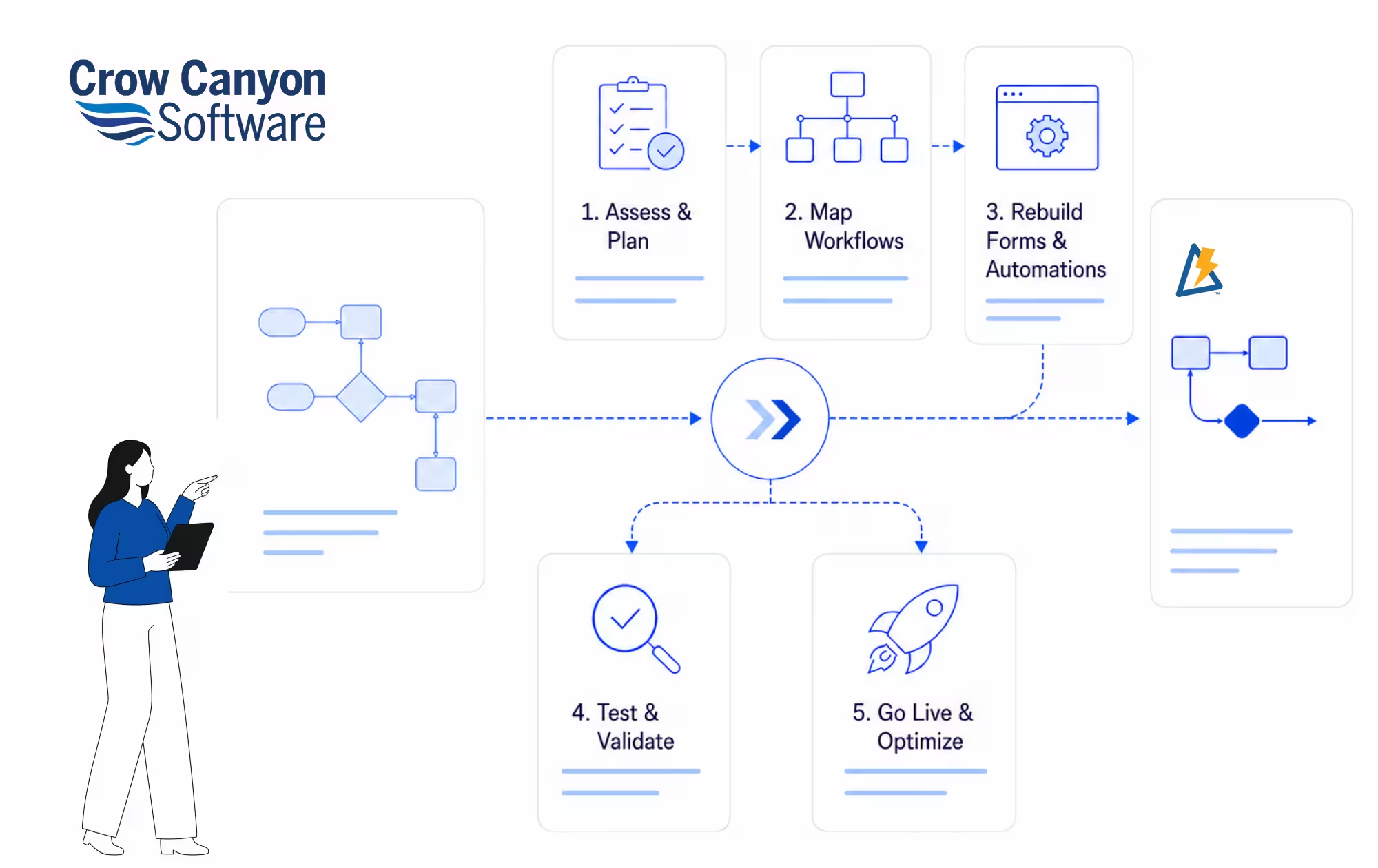
There is no automated lift-and-shift from Nintex to any other platform, including Nintex Automation Cloud. Every migration involves rebuilding workflows and forms on a new engine. The good news is that the rebuild itself is the easier part. The hard part is the planning. This guide gives you the full playbook for a Nintex migration to NITRO Studio: how to inventory what you have, how to prioritize, how to choose the right deployment environment, and how to cut over without breaking the business.
The Migration Reality You Are Working With
Most Nintex migration guides oversell the speed and undersell the planning. Here is what is actually true.
- No lift-and-shift exists. Nintex workflows in SharePoint were built on Microsoft engines that are being retired. Whether you go to Nintex Automation Cloud, Power Automate, or NITRO Studio, the workflows have to be rebuilt.
- Forms are a separate problem. Classic and old responsive Nintex Forms have to be migrated even before the 2026 cutoff, or they break.
- On-premises Nintex customers face the same pressure. Subscription Edition only supports SharePoint 2013-based workflows beyond July 14, 2026. SharePoint 2010-based workflows are already gone.
- Compliance auditors increasingly flag unsupported workflow engines. By mid-2026, this will become an audit finding for regulated industries.
Treat the deadline as fixed and start with the work itself rather than vendor selection. Most migration projects fail not because of the platform, but because the inventory of what existed in Nintex was never properly captured.
Why NITRO Studio Is the Natural Replacement
NITRO Studio is the no-code/low-code forms and workflow platform from Crow Canyon Software, built for Microsoft 365 and SharePoint. Crow Canyon has been a Microsoft Solutions Partner for over 27 years, and the platform is used by US federal and state agencies, the US Military, banking institutions, and healthcare organizations.
A few reasons it tends to land well as a Nintex replacement:
- Unlimited workflows and unlimited forms under one flat-rate subscription. No per-workflow charges, no overage fees, no surprise renewal increases.
- Five real deployment options: SharePoint Online, SharePoint On-Premises (2016, 2019, Subscription Edition), GCC, GCC High, and air-gapped On-Premises (NITRO Secure). On-premises is supported as a long-term offering, not a sunset path.
- Native Microsoft 365 and Microsoft Teams integration. Forms, approvals, and notifications run inside SharePoint and Teams using the identities, permissions, and storage you already manage. Your data stays in your tenant, always.
- Low-code SharePoint apps that a SharePoint admin or business systems manager can build without writing code. Visual designers for forms, workflows, reports, and portals.
- A dedicated migration team available through Crow Canyon Professional Services to lead the rebuild and cutover, not just hand over a tool.
If you came from Nintex, the operating model and the SharePoint-native feel will be familiar. The cost model and the support relationship will not.
The Seven-Step Nintex Migration Framework
Use this as your project plan. It works whether you are migrating ten workflows or several hundred, and whether you are on Nintex SharePoint Cloud or on-premises.
Step 1. Inventory every workflow and form
Before you talk to any vendor, build a complete inventory. This is the single most important step and the one most teams skip.
Pull from each environment:
- Workflow name, owner, site collection, and last-run date.
- Number of actions, branches, and approval steps in each workflow.
- Forms inventory, including classic, old responsive, and new responsive Nintex forms.
- Anything that calls out to external systems: connectors, web services, REST calls, on-prem databases.
- Run frequency from the last 90 days. Workflows that have not been executed in three months are usually candidates for retirement, not migration.
If you do not have an automated way to extract this, the SharePoint admin centre, the Nintex management UI, and a few PowerShell scripts will get you most of the way there. Capture it in a spreadsheet you can sort and filter. This becomes the source of truth for the rest of the project.
Step 2. Classify by business impact and complexity
Score each workflow on two axes:
- Business impact: critical (blocks revenue, compliance, or operations), important (slows the business if it breaks), or nice-to-have (replaceable with a manual workaround).
- Rebuild complexity: simple (a few approvals and notifications), moderate (multiple branches, lookups, conditional logic), or complex (custom code, external integrations, document generation).
This gives you a clean Tier 1, 2, 3 ranking. Tier 1 critical workflows go first because they need the most parallel testing time. Tier 3 nice-to-have workflows are often retired rather than rebuilt. In our experience, around 20 to 30 percent of an existing Nintex inventory does not need to be migrated at all. That is your first cost saving.
Step 3. Map dependencies and integrations
For every Tier 1 and Tier 2 workflow, document what it talks to. The hidden cost in any migration is the integration surface, not the workflow logic.
- SharePoint lists, libraries, and content types that the workflow reads or writes.
- Email triggers and SLA timers.
- Lookups into HRIS, CRM, ERP, identity providers, or line-of-business systems.
- Document generation, e-signature, and PDF rendering steps.
- Permissions and security trimming. Workflows often run under elevated accounts. Document those before you touch anything.
NITRO Studio handles SharePoint, Teams, Outlook, and Microsoft 365 integration natively. For external systems, NITRO Studio supports REST API calls and custom actions, so most integrations carry over. Capturing the dependency map up front avoids surprises in cutover week.
Step 4. Choose your NITRO Studio deployment environment
Most teams come into a Nintex migration assuming they have to move to the cloud. They do not. NITRO Studio runs in five environments, and you should pick based on data residency, regulatory profile, and existing infrastructure, not on vendor platform pressure.
| Deployment | Best fit for |
| SharePoint Online | Microsoft 365 customers who want a fast, fully managed cloud rebuild. |
| SharePoint On-Premises (2016, 2019, SE) | Organizations staying on-premises for compliance, latency, or data sovereignty. |
| GCC | US public sector workloads inside the Government Community Cloud boundary. |
| GCC High | Defense and federal agencies with ITAR, CMMC, or DFARS requirements. |
| Air-Gapped On-Premises (NITRO Secure) | Disconnected networks where data cannot leave the facility. |
If you are coming off Nintex on-premises because of the SharePoint Server lifecycle, NITRO Studio gives you a supported on-premises path so you do not have to take on a platform migration and a workflow migration at the same time.
Step 5. Rebuild in NITRO Studio
Rebuild in waves, starting with Tier 1. The Forms Designer and the Workflow Manager in NITRO Studio are visual and drag-and-drop, so most Nintex workflow logic translates directly. A SharePoint admin who built the original Nintex workflow can usually rebuild it in NITRO Studio, often faster the second time around because the requirements are already understood.
A few practical tips that compress the rebuild timeline:
- Build a small library of reusable approval patterns first. Most organizations have three to five approval stages that cover 70 percent of workflows.
- Recreate forms in NITRO Studio Forms before workflows. Forms drive the data the workflow operates on, and getting them right early avoids rework.
- Use this rebuild to retire technical debt. Branches added years ago for situations that no longer exist do not need to come along.
- Engage the Crow Canyon migration team for the most complex workflows. The dedicated migration team can take the heaviest 10 to 20 percent off your internal SharePoint resources.
Step 6. Test and run in parallel
Do not flip the switch. Run the rebuilt NITRO Studio workflows alongside Nintex for at least one full business cycle, two for any process tied to month-end or quarter-end. Compare outputs side by side, with real users.
Three things to test deliberately:
- Edge cases: The 95 percent path is easy. The rejection, recall, and escalation paths are where Nintex migrations break.
- Permissions: Make sure NITRO Studio is enforcing the same security as the original workflow assumed.
- SLAs and timers: Confirm reminder, escalation, and overdue logic fires on the same schedule it used to.
Use the parallel period to train end users. Adoption issues sink more migrations than technical issues, and end users do not care which tool is underneath as long as the form looks right and the approval lands.
Step 7. Cut over and decommission
Cut over Tier 1 workflows first, monitor for two weeks, then bring across Tiers 2 and 3 in batches. Communicate cutover dates clearly to end users and pin a one-page reference somewhere they can find it. Leave the Nintex environment running in read-only mode for at least 30 days after cutover so historical workflow data and audit trails are still accessible.
Then decommission. Cancel Nintex licenses, archive the workflow inventory spreadsheet, and document what was retired versus rebuilt. That document becomes your evidence for auditors and your reference if you ever need to justify why a workflow is no longer there.
Five Pitfalls That Slow Down Nintex Migrations
- Treating the project as a tooling swap. It is not. It is a chance to retire workflows you no longer need and to fix the ones you do.
- Underestimating forms. Classic and old responsive Nintex forms have to come across in their own track, and they often outnumber the workflows.
- Migrating low-value workflows before high-impact ones. Tier 1 first. Always.
- Skipping the parallel run. Cutover-day surprises in production are far more expensive than a few extra weeks of running both systems.
- Trying to rebuild everything in-house against a hard 2026 deadline without external help. The math rarely works for inventories above 100 workflows.
A successful Nintex migration starts with a workflow inventory, clear priorities, and separate plans for forms and automation. For US IT teams, testing rebuilt processes alongside the existing system helps catch approval, permission, and data issues before production cutover.
A Note on Nintex Cost Savings
Most teams calculate the migration business case on the renewal quote alone. That is half the picture. Nintex pricing on SharePoint Cloud or Subscription Edition has historically been driven by per-workflow charging, which is why workflow counts grow into a renewal surprise. NITRO Studio replaces that model with a flat-rate subscription that includes unlimited workflows and unlimited forms. Customers also tend to retire 20 to 30 percent of their Nintex inventory during migration, which compounds the savings. Build the business case on the three-year total cost, not the year-one license, and the maths usually settles itself.
Book a Migration Consultation
Crow Canyon’s migration team has been moving organizations off Nintex, InfoPath, and legacy SharePoint workflow tools for over a decade. A free migration consultation gives you:
- A scoped review of your Nintex inventory and rebuild complexity.
- A recommended NITRO Studio deployment environment based on your data residency and compliance requirements.
- A realistic migration timeline and resourcing plan.
- A flat-rate pricing quote with unlimited workflows and unlimited forms included.



