
 SharePoint helpdesk software lets you run IT and employee support inside Microsoft 365 instead of on a separate platform. The main options are a limited native build with SharePoint lists, a third-party add-on, or a full application like NITRO Help Desk. Choose based on the automation, SLA tracking, reporting depth, and customization you need.
Let’s explore the advantages of building your help desk in SharePoint, compare top SharePoint help desk applications, and reveal why NITRO Help Desk stands out as the ultimate choice.
Why NITRO Help Desk Stands Out?
If your organization already uses SharePoint and Microsoft 365, deploying a help desk within that ecosystem makes both strategic and financial sense. Here’s why:
Seamless Integration with Microsoft 365
A SharePoint-based help desk integrates effortlessly with Outlook, Teams, and Power Automate, allowing for smooth workflows and centralized communication. This reduces the need for additional logins, subscriptions, or user training.
Faster Adoption
Employees are already familiar with SharePoint’s interface, which accelerates onboarding and reduces the learning curve. According to a Gartner report, organizations that leverage familiar platforms see up to 50% faster adoption of new tools.
Customization and Control
SharePoint allows full control over layout, permissions, and workflows. Whether you need to enforce SLAs, categorize tickets, or tailor views by department, a SharePoint help desk offers unmatched flexibility.
Data Ownership and Compliance
Your ticketing data stays within your Microsoft 365 tenant, helping you meet compliance requirements and avoid third-party data hosting risks critical for industries like healthcare, finance, and government.
User-Friendly Interface
Adoption depends on ease of use. Look for a modern, intuitive interface that employees and technicians can use without extensive training.
Cost Savings
With NITRO Help Desk, you get enterprise-grade service desk capabilities at a fraction of the cost of big-name competitors like Freshservice.
Automation Capabilities
Features like automated ticket routing, notifications, and escalation rules save time and reduce errors.
Reporting & Analytics
Data-driven insights into ticket trends, technician performance, and service quality are critical for continual improvement.
Scalability
The system should grow with your business without requiring expensive migrations.
When Basic Isn’t Enough: The Case for a Full-Fledged Help Desk
While SharePoint templates or list-based solutions offer a starting point, most fall short on automation, reporting, and scalability. That’s when organizations outgrow basic tools and seek more robust options.
Enter NITRO Help Desk an enterprise-grade help desk application built specifically for SharePoint and Microsoft 365. It combines the simplicity of SharePoint with advanced features typically found in expensive, complex systems like ServiceNow or Zendesk—but without the overhead.
Why NITRO Help Desk Is the Ultimate SharePoint Help Desk Application
NITRO Help Desk is more than a help desk; it’s a complete service management platform embedded directly into SharePoint. Here’s how it rises above the competition:
Enterprise-Level Automation
From auto-assigning tickets and escalating overdue issues to integrating with Power Automate and Microsoft Teams, NITRO streamlines every step of the support process.
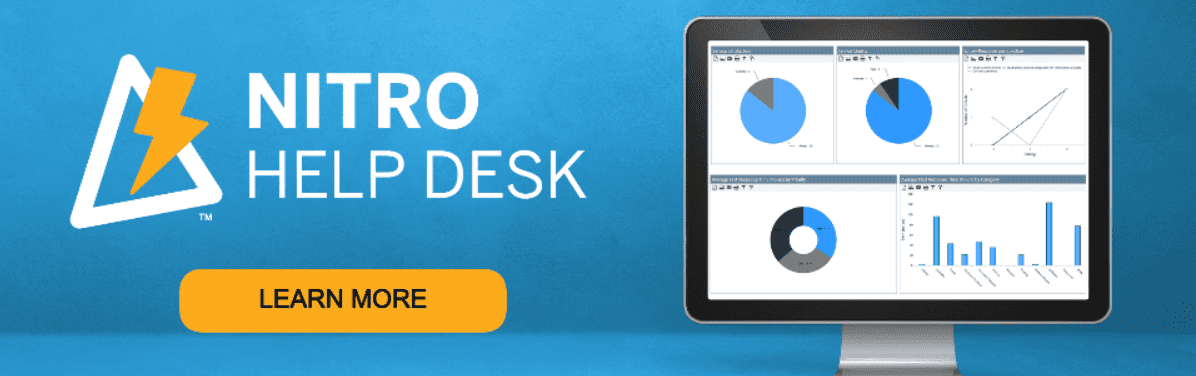
Dynamic Dashboards and Advanced Reporting
Managers can track performance in real-time, measure technician response times, and generate reports for SLA compliance, trends, and more.
Stat: Companies using automated ticketing systems like NITRO Help Desk report a 25% increase in resolution speed and a 20% reduction in support costs (ZDNet, 2023).
AI-Enhanced Support with NITRO Copilot
NITRO brings AI directly into SharePoint with NITRO Copilot. It suggests solutions, categorizes tickets automatically, and enhances user self-service with intelligent prompts—freeing up valuable technician time.
Tailored for All Departments
Whether you’re supporting IT, HR, Facilities, or Finance, NITRO can be configured to manage multiple service desks within one centralized system while maintaining role-based access and custom workflows.
For US IT teams, a shared intake portal can route each request to the right department while keeping HR and Finance tickets visible only to authorized staff. Configure permissions, approval paths, and SLA rules for each service desk, then test access with accounts from every department before launch.
How NITRO Help Desk Compares to Other SharePoint Help Desk Applications
| Capability | Native SharePoint (Lists) | SP Marketplace | HarePoint | Plumsail | NITRO Help Desk |
|---|---|---|---|---|---|
| Built for SharePoint & Microsoft 365 | Yes (manual) | Yes | On-premises only | Yes (SharePoint Online / Microsoft 365 only) | Yes (SharePoint Online and Server 2010–2019, Foundation) |
| Modern UI/UX | Basic | Basic | Outdated | Yes | Yes |
| Workflow automation | Basic (Power Platform) | Basic | Basic | Limited | Advanced |
| AI features | No | No | No | No | Yes, optional |
| SLA management | None | Basic | Yes | Manual setup | Built-in |
| Dashboards and reporting | Manual (Excel/Power BI) | Limited | Static | Basic | Advanced |
The Bottom Line: Why Settle for Less?
While several SharePoint help desk solutions offer basic ticketing features, only NITRO Help Desk delivers the power, flexibility, and future-readiness that modern organizations demand. It takes full advantage of your existing Microsoft 365 investment, eliminates the need for external platforms, and empowers teams with automation, AI, and real-time visibility.
Stat: According to Microsoft, businesses that fully utilize Microsoft 365 tools experience an average ROI of 162% over three years (Forrester, 2023). NITRO Help Desk helps you get there faster by unlocking the true potential of SharePoint.
What Our Customers Say.
“Crow Canyon’s Help Desk is intuitive, flexible, and perfectly integrated into our Microsoft environment. Our resolution times have improved dramatically.”
— IT Manager, Nonprofit Organization
“It’s powerful, yet easy to use. Even our less tech-savvy users have adopted it.”
— Director of Technology, Local Government
Ready to Elevate Your Help Desk?
Whether you’re migrating from spreadsheets, outgrowing a legacy system, or looking to consolidate IT and HR support, NITRO Help Desk provides the scalable, intelligent solution you’ve been searching for.
Start with one high-volume request type and test ticket routing, SLA alerts, and reporting before moving the rest of your queue. NITRO Help Desk supports those workflows in SharePoint, Microsoft 365, and Teams, giving IT and HR teams a practical way to evaluate the move from spreadsheets or legacy tools.
Why settle for a basic help desk when you can have a truly intelligent, integrated support system right inside SharePoint?



