
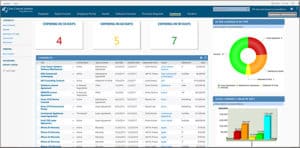
 What is a SharePoint List?
A SharePoint list is very much like a spreadsheet that has a table with data spread across several columns in different rows. It has the following features:-
- Numerous items can be stored, including addresses, phone numbers, website links, comments, annotations, tasks, calendar events and much more.
- Among the many data types that can be used are text, number, date and image.
- Data in the list can be displayed in different views. The default view displays all the items. You can then specify select columns to display, as well as data filtering, ordering and grouping.
SharePoint Lists vs. Excel
A question that always arises is whether you should keep your data in a SharePoint list or in a spreadsheet like Excel. Here is how SharePoint stacks up against Excel:-
- User access. With Excel, only one user can modify the contents of a worksheet at any one time. If the same data are imported from Excel into SharePoint as a list, each row of data becomes an item in its own right within that list. Items can then be accessed and modified by multiple users at the same time.
- Data display. You can sort, filter and group the contents of an Excel worksheet, but this functionality is nowhere near as dynamic as a SharePoint list. Lists have the major benefit of customized views, whereby you can specify exactly what you want and how it must be displayed.
- Version control. Excel does allow version tracking, but it will only tell you when the workbook was updated and by whom. It does not indicate what was modified. If the same data are stored in a SharePoint list with the version control activated, you can track the version history of each individual item. This will show you when the item was modified, by whom and also what properties or metadata were changed. It even allows you to re-load a previous version, if required.
- Workflow. Another benefit of SharePoint lists is that workflows and event handlers can easily be registered to them. You can create workflows in SharePoint Designer or Visual Studio and add them to the list to run whenever items are added, updated or deleted. A standard spreadsheet like Excel does not accommodate this functionality.
- Speed of access. Accessing data stored in Excel workbooks takes longer than accessing SharePoint lists. To view information in Excel you must navigate to the site, then access the correct document library, locate the relevant workbook and finally open the worksheet tab containing the data. With a SharePoint list, you simply navigate to the site and open the relevant list.
Where Excel spreadsheets hold an advantage is in transaction. Excel is a powerful tool with complex formulae and cross-sheet functions, whereas SharePoint is not yet as powerful in these areas. However, remember that SharePoint integrates and works efficiently with Microsoft Office.
SharePoint Lists vs. Google Sheets for Data Management
SharePoint Lists is a practical choice for tracking business records—such as IT assets, employee onboarding tasks, and service requests—with defined columns, custom views, and rules that notify users when records change. Google Sheets also supports structured tables with column types, filters, and views, so both tools can organize shared data.
| Comparison | SharePoint Lists | Google Sheets |
|---|---|---|
| Primary use | Tracking structured records, requests, assets, and tasks | Spreadsheet calculations, analysis, and collaborative planning |
| Data structure | Defined column types, required fields, and configurable validation | Flexible cells plus structured tables with column types that flag inconsistent entries |
| Views | Custom list views for different teams, statuses, or priorities | Table views and filters for organizing spreadsheet data |
| Automation | Built-in notification rules; broader workflows through tools such as Power Automate | Conditional notifications on eligible accounts; custom automation through Apps Script |
| Access control | Configurable list and item-level permissions | File-sharing permissions and protected editing ranges; protected ranges do not restrict viewing |
| Workplace fit | Teams managing operational records within Microsoft 365 | Teams using Google Workspace for spreadsheet-based collaboration |
| Example | Track laptop assignments, return dates, and equipment status | Calculate equipment budgets and compare purchasing scenarios |
Because SharePoint is customizable for an organization, SharePoint Lists are also customizable. A SharePoint consultant will be able to reveal the true power of SharePoint and its lists and customize it to be an indispensable part of daily business.
Creative Commons Attribution: Permission is granted to repost this article in its entirety with credit to Crow Canyon Systems and a clickable link back to this page.



